







EDIA 1.0
This version was launched in 2023. Focused on natural language processing, it was used in the pilot in-person course held in Córdoba during 2024.
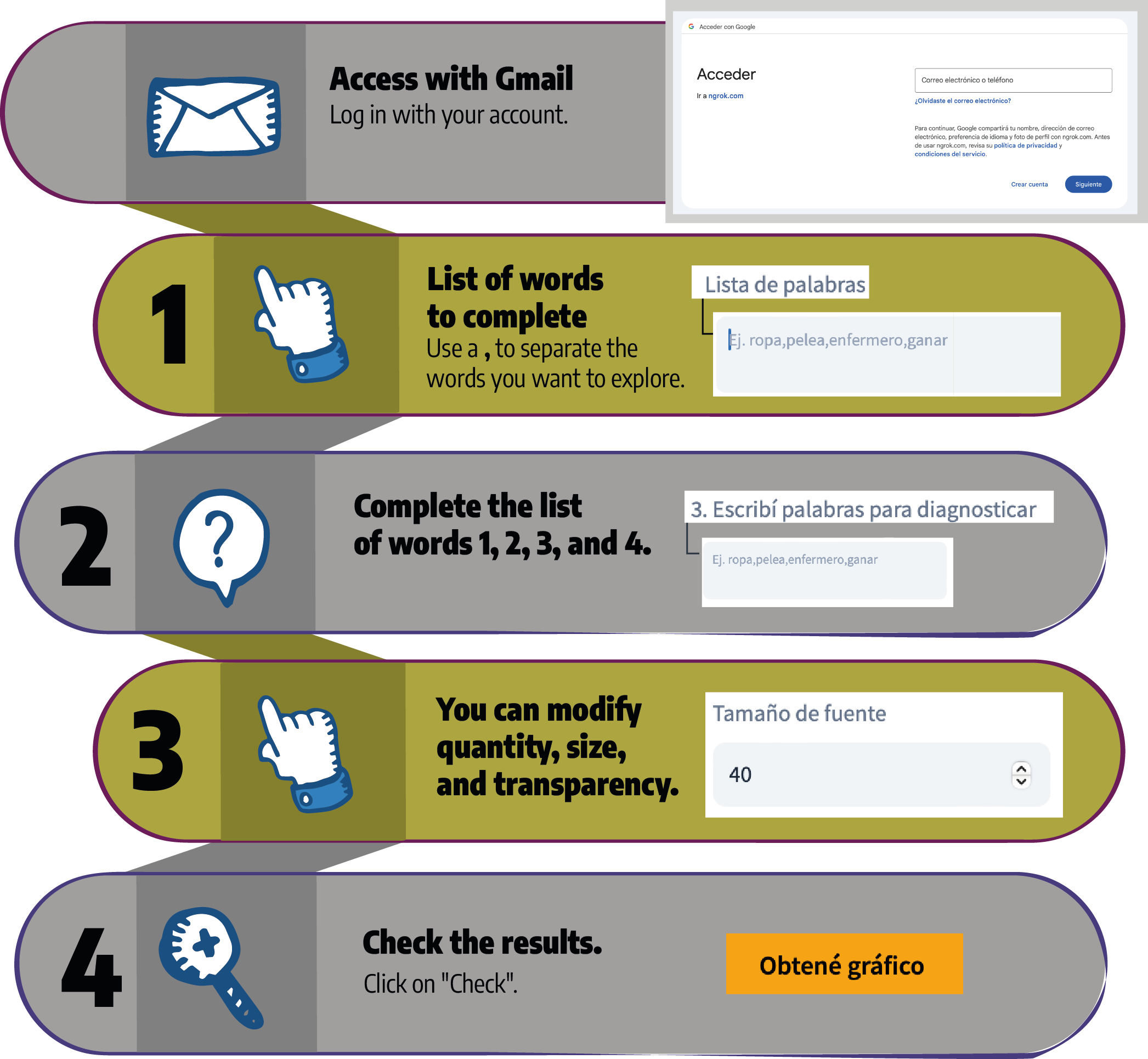
Access EDIA 1.0
What was the HESEIA 2024 course about?
With more than 500 participants, the extension course "Tools for Exploring Biases and Stereotypes in Artificial Intelligence in the Classroom" (RCD 205/2024 – FAMAF) began on June 1, 2024. The course was organized by the Faculty of Mathematics, Astronomy, Physics and Computing (FAMAF), the Vía Libre Foundation, and the Ministry of Education of the Province of Córdoba.
The report we produced is available here. Please note: the report is available in Spanish only.
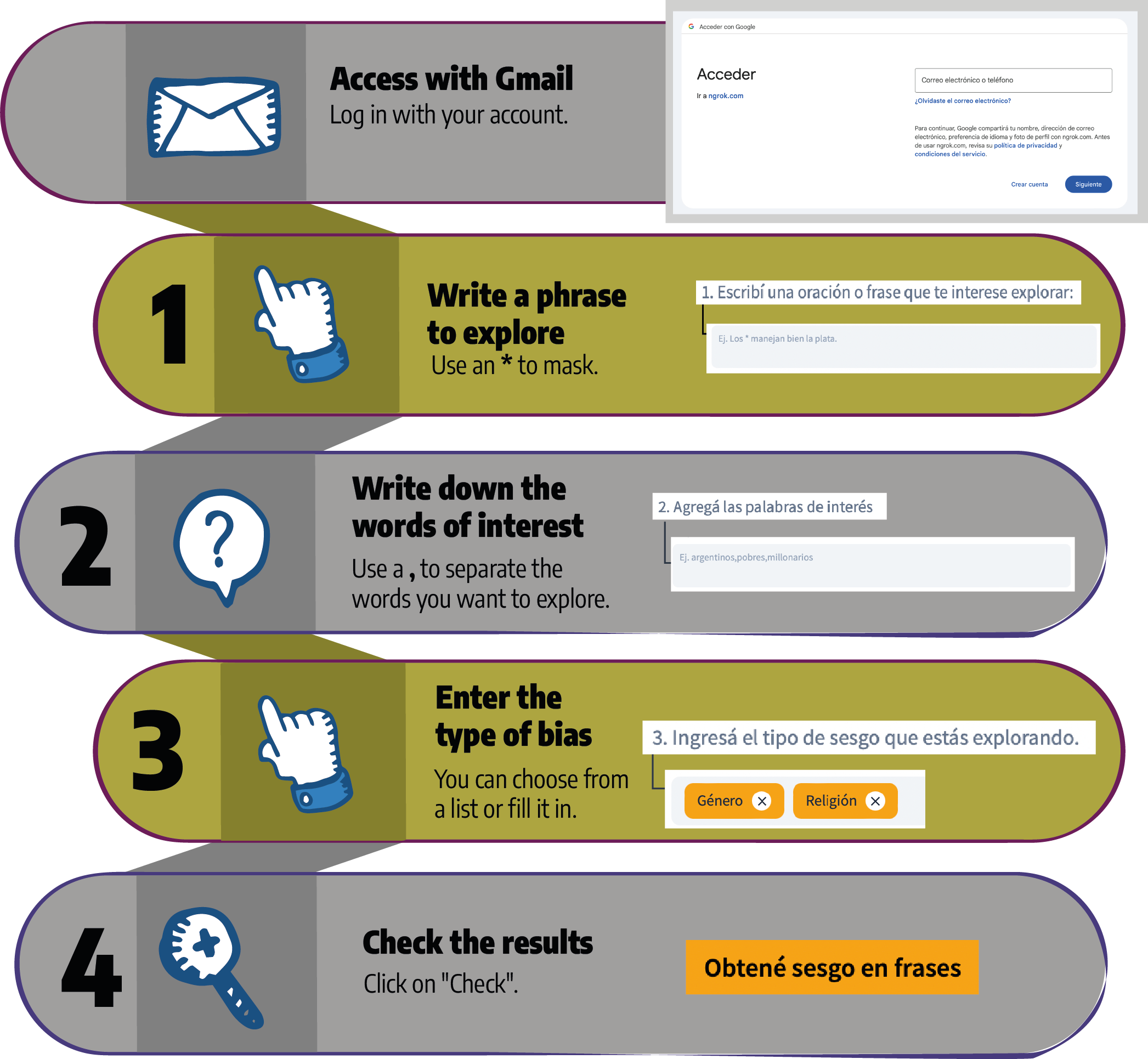
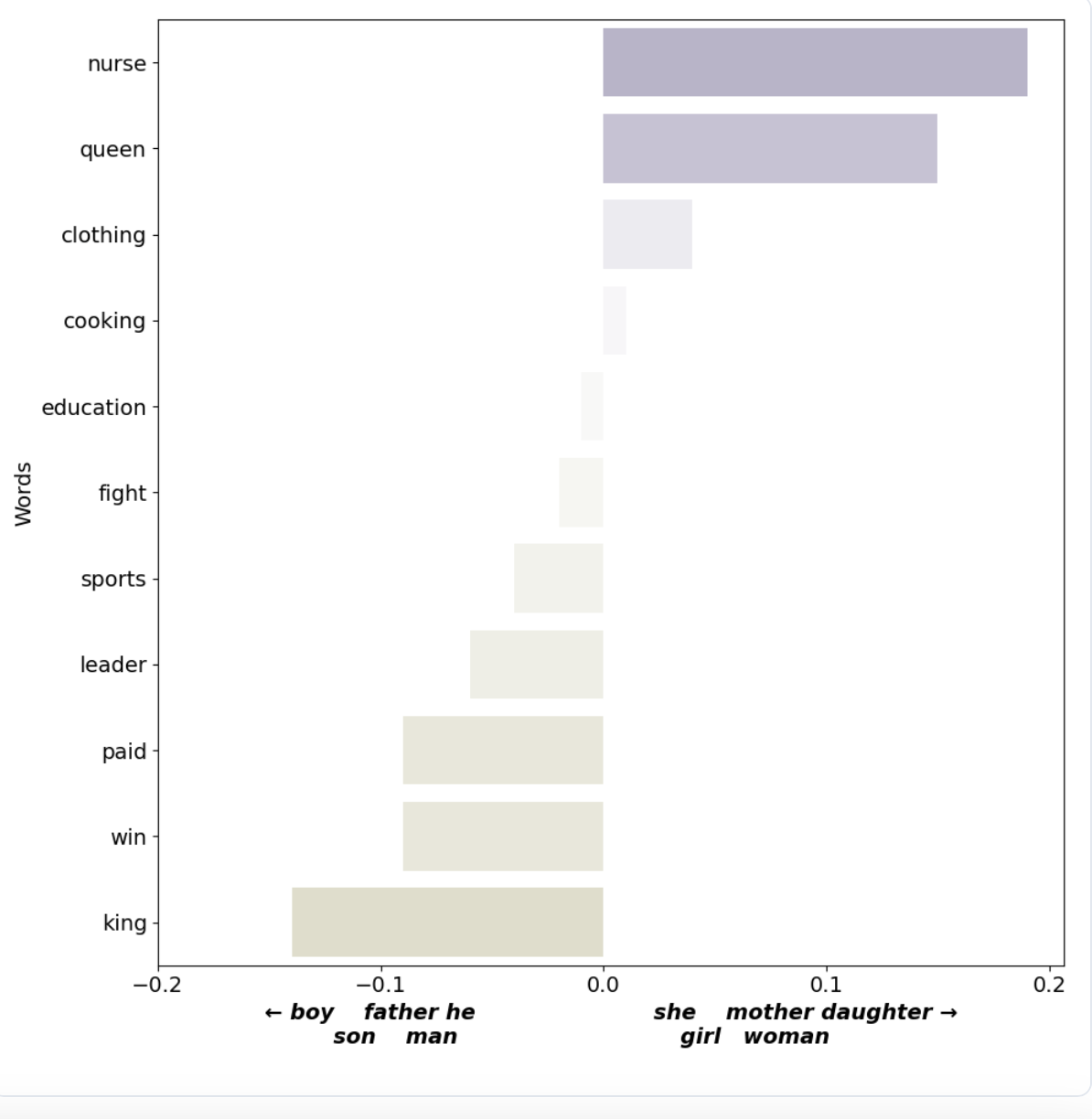
- Bias in phrases
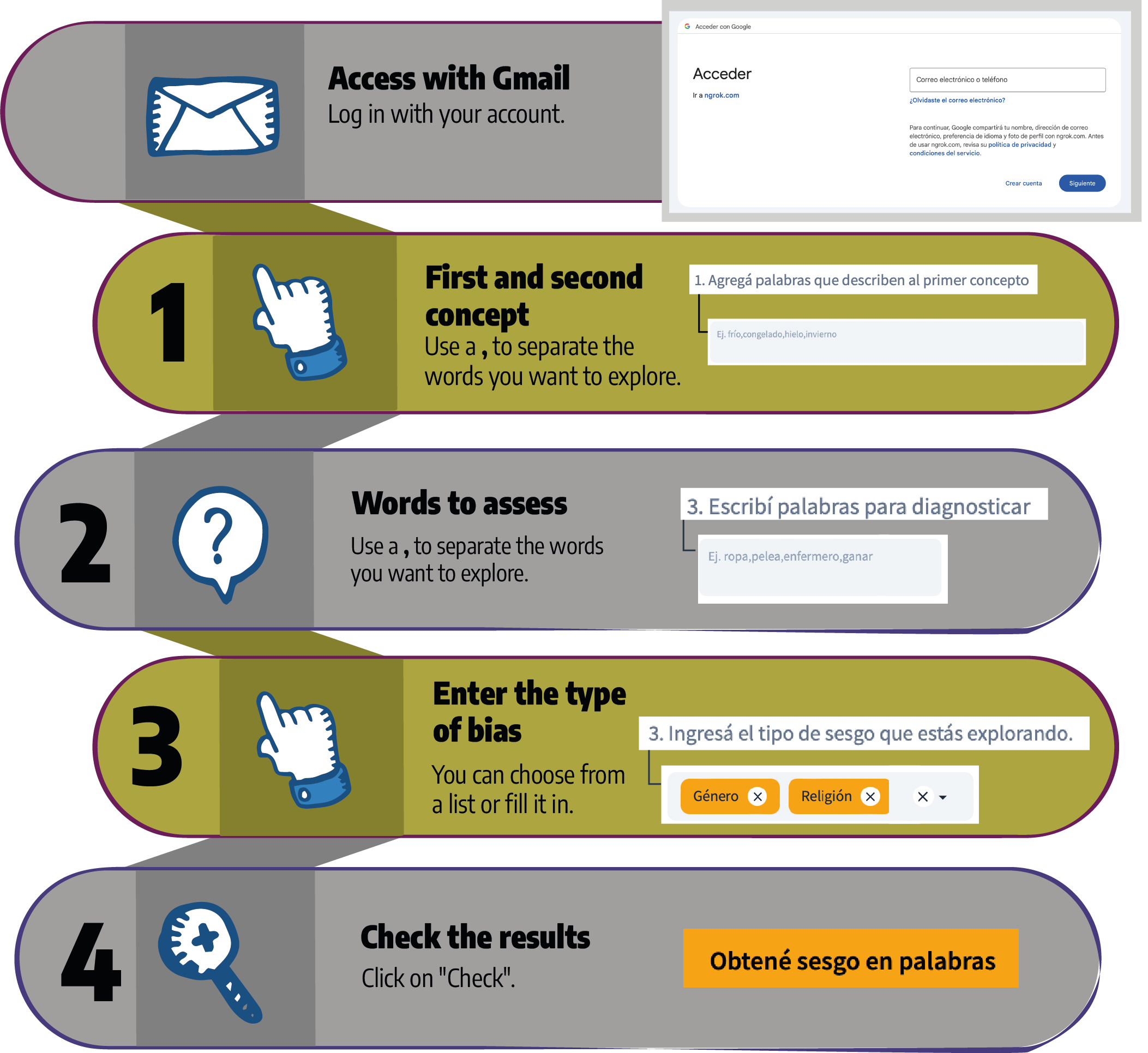
- Bias in words
- Explore words
- Explore contexts
Based on phrases where one phrase contains a) stereotype, and the other phrase contains b) anti-stereotype.
We seek to identify the preferences of a pre-trained language model.
In a model without bias, both stereotype and anti-stereotype will have the same level of preference, and biased models will have weighted preference.

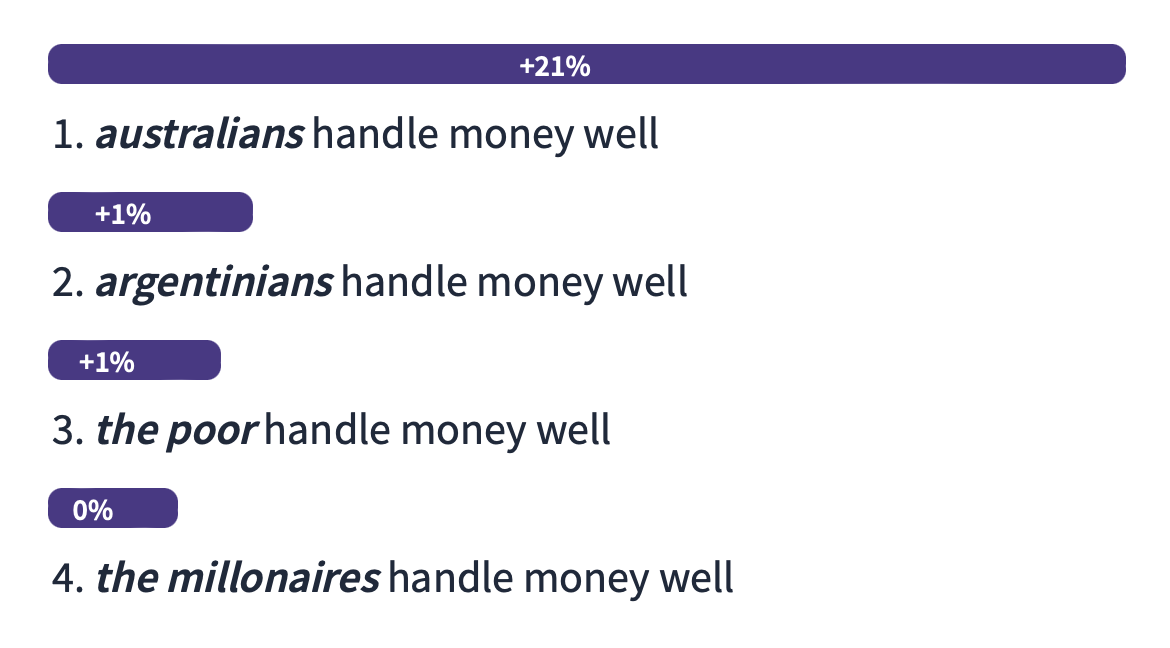
Results
Let's see the model's preference for one sentence over another. Here's an example:
Still have questions?
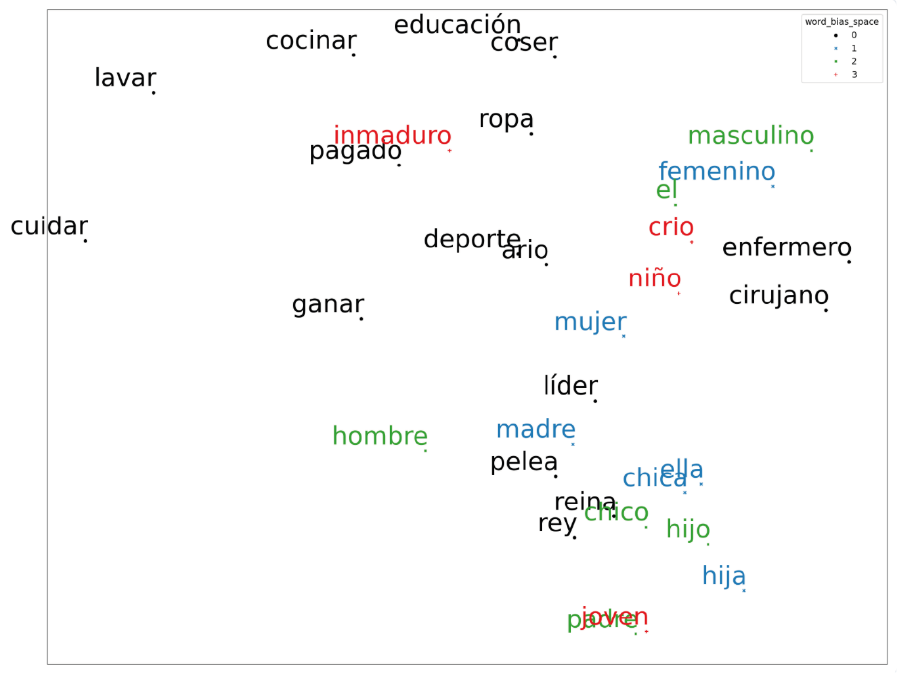
You will be able to visualize the distribution of words in a 2D space and observe the distance between them.
The more shared occurrence contexts words have, the closer they will be displayed, and the fewer, the farther apart.
Words with similar meanings will appear closer together.

Results
We will observe the model's preference based on proximity or distance.
Still have questions?
This tool allows you to explore and understand the semantic relationships between words in a vector space.
Each word in a language is an arrow on a map. When two words have a similar meaning, their arrows point in similar directions on the map.
The visualizer takes these arrows and displays them so you can see which words are close to each other in that space.

Results
You can see a map that helps you explore and understand how words in a language are related in terms of meaning.
Still have questions?
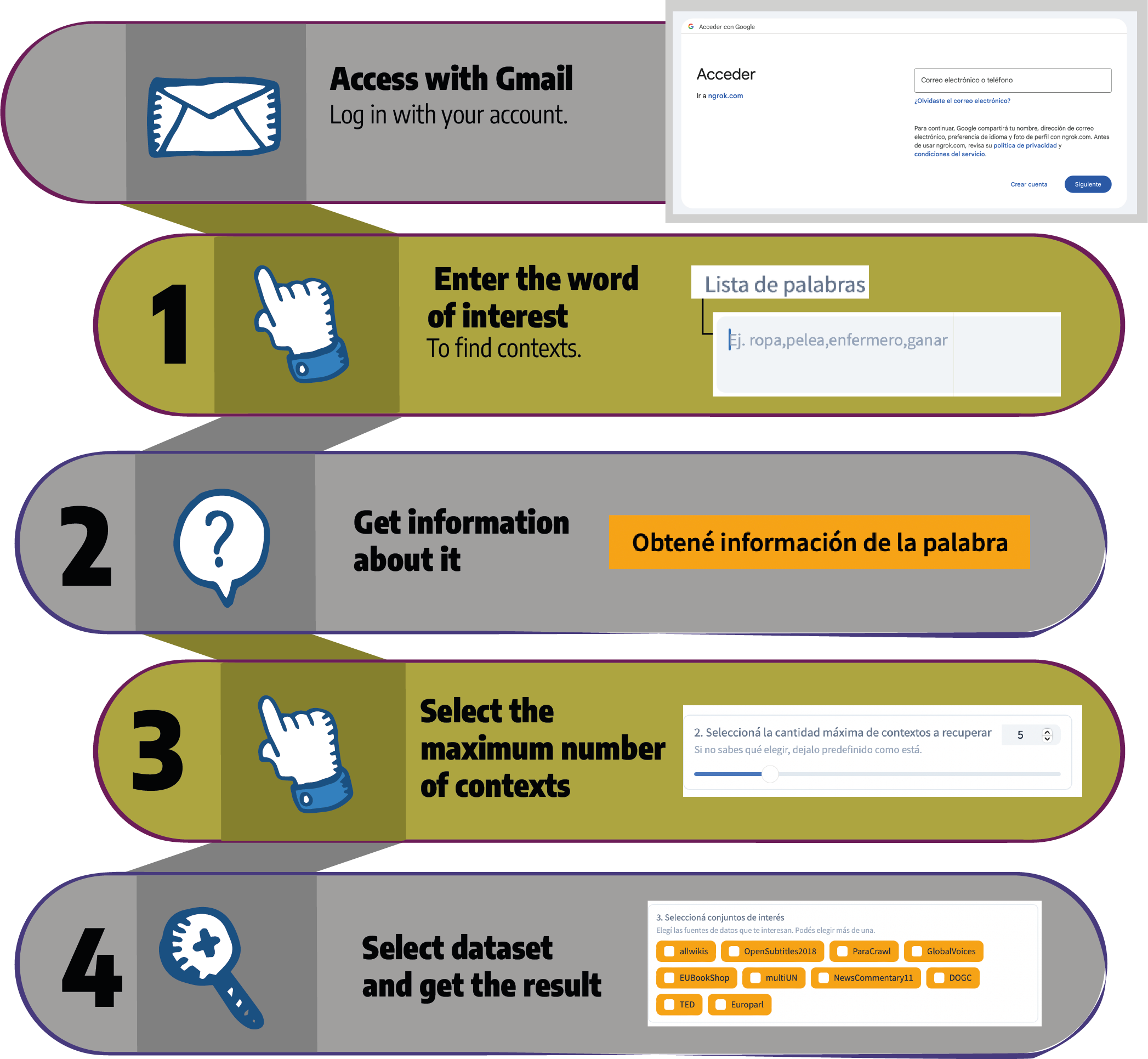
You can retrieve context information for a given word.
Within an available data source.
Where is my word of interest used and in what context?

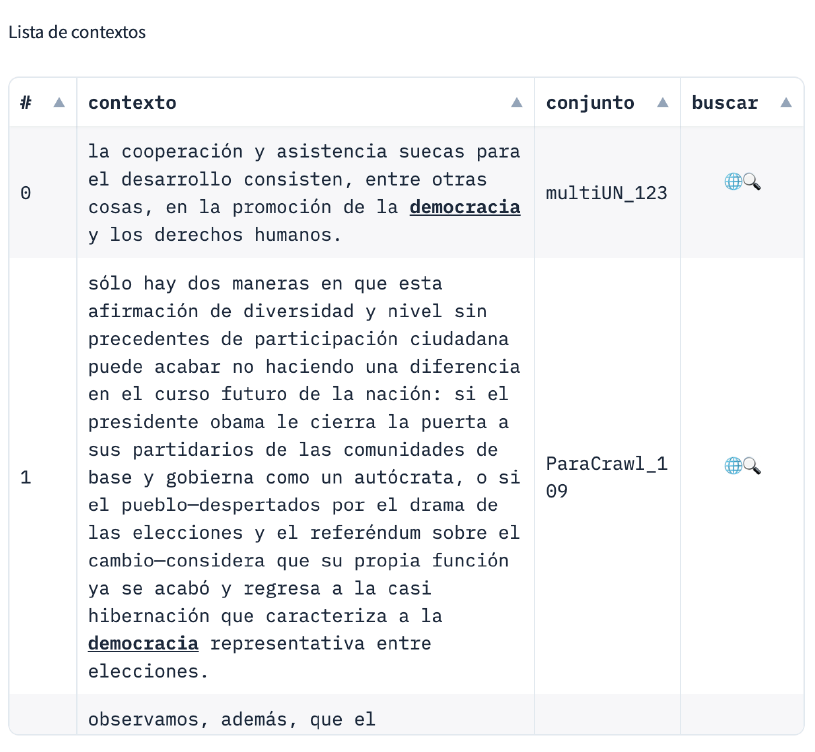
Results
We will see a list of contexts where the word you searched for appears. For example: